Tablet vs Laptop Basics
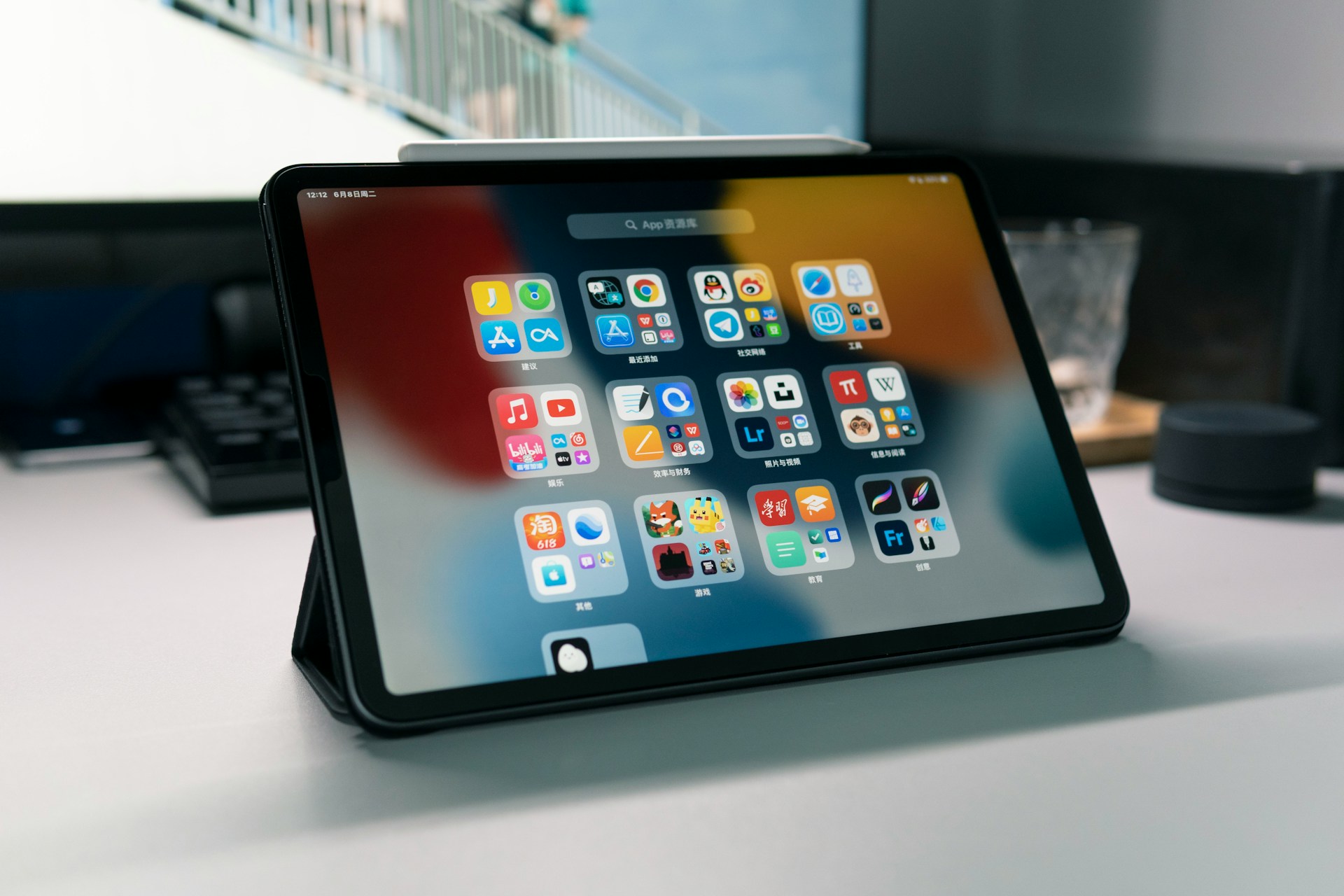
Tablets and laptops often compete for the same user base, yet their fundamental designs serve different goals. Tablets shine in mobility: average weight hovers around 0.5 to 1 pound, making them nearly half as heavy as many entry-level laptops, which often start near 2 to 3 pounds. Touchscreen interaction defines tablet use, supported by software optimized for taps and swipes, not mouse clicks. Consider the Apple iPad Air, with a display that reacts instantly to finger gestures and Pencil input, versus a traditional laptop keyboard-driven setup.
Tablets grew popular with casual users first, but professionals increasingly adopt them for creative work and light productivity. Almost 42% of tablet owners use their device for reading and digital magazines monthly — far more than those who rely on laptops for the same task.
Tablets run full apps in a lightweight shell. An iPad Pro's 120 Hz screen refresh rate changes the experience noticeably compared to laptops stuck at 60 Hz. The immediacy of interaction makes a tablet feel more like an extension of the hand than a separate tool.
Common Misunderstandings
A frequent mistake lies in assuming tablets can replace laptops outright. Many people buy tablets expecting to run complex software suites or multitask like they would on a desktop OS. That usually leads to frustration: you can't open 20 browser tabs with the same fluidity, and file organization remains limited by app sandboxing rules.
Ignoring battery endurance differences also skews perceptions. Laptops often boast larger batteries, but tablets consume much less power overall due to efficient ARM processors. A well-optimized tablet can last up to 10 hours on a single charge, sometimes longer depending on usage, but people imagine laptops always dominating that metric.
Tablet software upgrades also cause confusion. Manufacturers typically offer OS updates for fewer years than PCs, which can limit longevity if you expect a device to stay current for half a decade. The experience eventually degrades with older tablets.
Cases and Recommendations
Reading and Media
Pick tablets for consuming ebooks, videos, or streaming music. The brighter, glare-free screens on tablets beat most budget laptop displays. The iPad Mini’s True Tone and anti-reflective coating make reading outdoors practical, while the absence of a loud cooling fan means audio calls happen with less noise interference. Kindle app on iPads offers a richer interface than typical laptop ebook readers.
Sketching and Note Taking
Tablets work with styluses like Apple Pencil (2nd gen) or Samsung S Pen, offering pressure-sensitive drawing unmatched by most laptops. Creative professionals use apps like Procreate (version 5.2) or Adobe Fresco for sketching, accurate color work, with minimal input lag. Digital note-taking apps sync handwriting instantly with cloud services, eliminating scanned pages and bulky notebooks.
Portability and Battery
Tablets nearly always win on pure portability. The Surface Go 3 weighs about 1.2 pounds but bulkier types can reach nearly 2 pounds; tablets often come thinner and smaller overall. Battery life on flagship tablets exceeds 9 hours under realistic scenarios, like streaming HD video or browsing Chrome with 20+ tabs open (which, frankly, most users skip on tablets).
Instant Boot and Simplicity
Tablets start up instantly from sleep — no boot time or long waits. This responsiveness suits users who open their devices dozens of times per day for short tasks: check email, jot a reminder, or check the news. There’s no complex login hurdles or wasted power cycles as laptops often demand.
Connectivity with Accessories
Keyboards, styluses, and external monitors enhance tablet productivity. The Apple Magic Keyboard connects via smart connector with no pairing fuss. Some Android tablets run DeX mode to mimic desktop UI when connected to external screens. Bluetooth peripherals work fluidly, although USB ports remain fewer and limited compared to laptops.
Video Calls and Cameras
Tablets often pack superior front-facing cameras and microphones. The 12MP ultra-wide camera on recent iPads makes video calls crisp and hands-free compared to most laptop webcams stuck at 720p or 1MP. Mics reduce background hum, an aspect frequently overlooked when choosing devices for remote meetings.
App Ecosystem and Security
Mobile app stores provide fast updates and sandboxed environments enhancing security. Tablets get app vetting and automatic rollback on failed installs. Android and iPadOS apps deliver native experiences optimized for touch, while laptops rely more on legacy desktop apps that may lack support or need constant patching.
Offline and Travel Use
Tablets excel in offline scenarios: downloaded maps, ebooks, and media playback keep users functioning far from Wi-Fi. Built-in LTE/5G options extend access without bulky mobile hotspot devices. Battery savings add hours to critical trips when charging stops aren't frequent.
Price Variations and Models
Tablets come in a wider price range suited to varied budgets and needs. Budget models like Amazon Fire tablets perform well for media basics for under $100, while pro models hit $1000+. Laptops, especially those offering comparative power, start higher and add accessories to match tablet versatility.
Success Stories
A marketing agency in Chicago switched 30% of its staff to tablets in 2022 for client presentations and graphic mockups. They reported 40% faster setup times, and meetings ran 25% shorter because sharing from a tablet screen eliminated awkward HDMI cords and laptop boot delays.
A freelance architect adopted an iPad Pro with Apple Pencil exclusively for fieldwork. The device replaced bulky laptops and printed blueprints, reducing travel pack weight by 3 pounds. Sketch revisions were made on site, slashing project turnaround times by 20%. Her version of Procreate became an extension of her office, note-taking and annotating plans without cumbersome software licenses.
Tablet vs Laptop Chart
| Feature | Tablet | Laptop | Notes |
|---|---|---|---|
| Weight | 0.5-1 lb | 2-4 lbs | Tablets are easier to carry |
| Battery Life | 8-12 hrs | 6-10 hrs | Depends on use profile |
| Screen Tech | Touch + Pencil | Keyboard + Mouse | Tablet excels in input flexibility |
| Software | Mobile apps | Full desktop OS | Tablet lacks full desktop apps |
| Startup Speed | Instant | Seconds to minutes | Tablets work fast on demand |
| Camera Quality | HD front & rear | Low-res front | Better for video calls |
Common Errors
Ignoring interface differences causes disappointment; tablets do not yet fully support desktop-style multitasking. Trying to plug every USB device with a standard adapter leads to compatibility tangles and lost time. Expecting uniform app functions between desktop and mobile versions usually breaks workflows.
Battery charging myths persist, with many users plugging tablets into low-power outlets that extend charge time unnecessarily. Buying generic styluses often yields poor performance, with lag and inaccurate pressure sensitivity — in this area, manufacturers' branded pens save hassle.
FAQ
Can a tablet handle office work?
Yes, tablets support many office apps like Microsoft 365 and Google Workspace, but multitasking is limited. They work well for emails, documents, and presentations but may struggle with heavy spreadsheets or advanced software.
Are tablets good for gaming?
Tablets excel in casual and mobile gaming with large app libraries. The GPUs on iPads support high-end titles, but gaming laptops remain better for PC-exclusive games requiring a keyboard and mouse.
Do tablets support external storage?
Many tablets, especially iPads with iPadOS 15 or higher, support external drives through USB-C or Lightning adapters, though file management is more restricted than on laptops.
What about virus protection?
Tablets benefit from app sandboxing and tightly controlled app stores, reducing risk. Traditional antivirus tools are rare, and regular OS updates patch vulnerabilities automatically.
Can tablets replace laptops for students?
Depends on the field of study. Tablets handle note-taking and research well but fall short for programming or design courses needing specialized software.
Author's Insight
Using tablets in real-world conditions over five years taught me their strengths and limits firsthand. They accelerate note-taking and casual reading but frustrate when heavy multitasking is needed. Choosing a tablet means embracing a different workflow that favors immediacy and simplicity. I keep an iPad Pro version 15 nearby, always ready for content review or sketching. My advice: test your key tasks on a tablet before switching fully—it saved me a laptop replacement mistake.
Final Thoughts
Tablets outperform laptops in mobility, touch-driven interaction, and battery life for specific uses like media consumption, sketching, and meetings. They do not handle full desktop workloads well but suit most casual or creative tasks. Consider your main needs—instant access, portability, and simplified input—when choosing between these two device types. Try a well-supported stylus and reliable apps to unlock the tablet's potential; it may reshape your daily tech habits.