How Heart Sensors Work
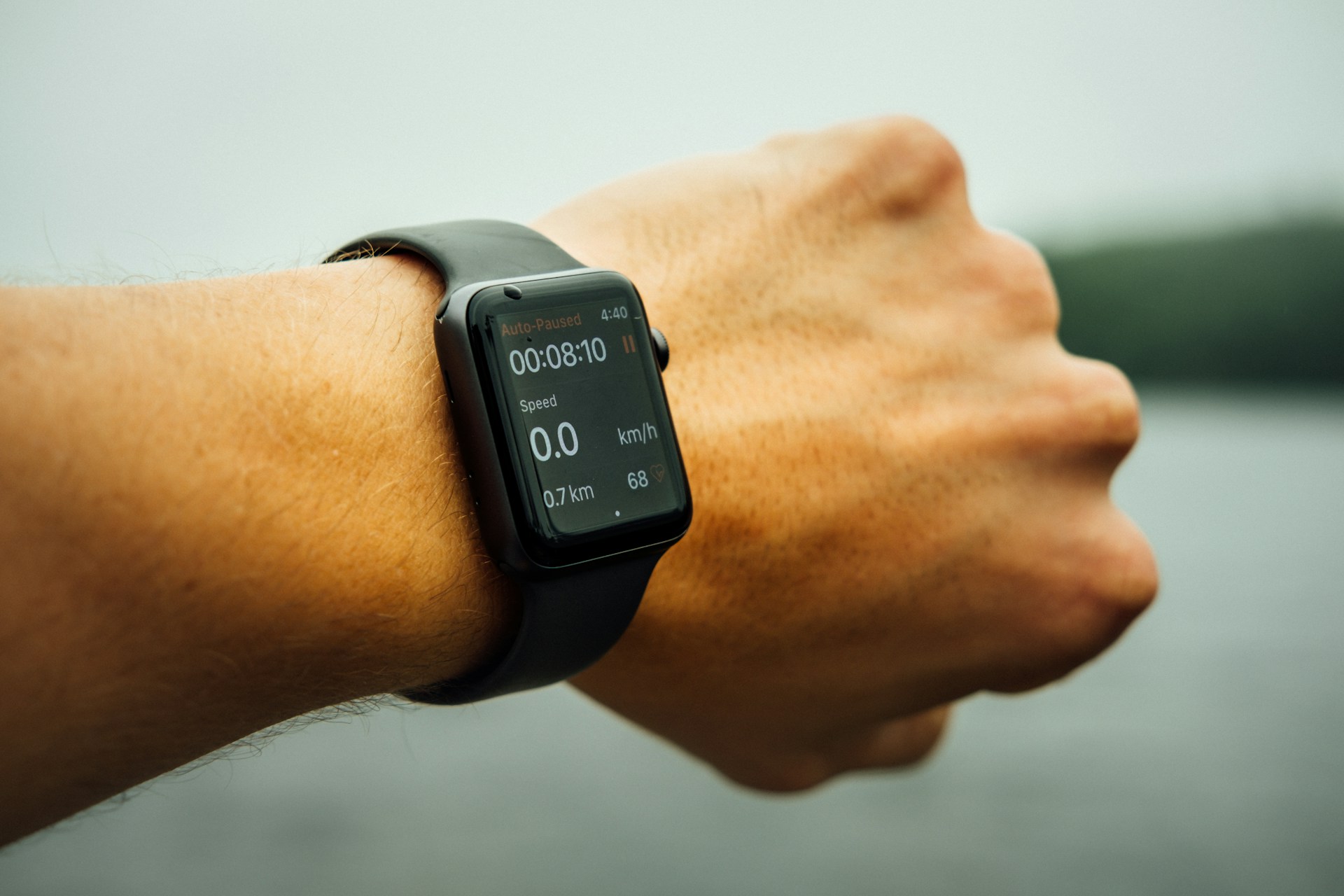
Fitness trackers do not “feel” the pulse in the way fingers do on a wrist. They shine light into the skin and read what comes back. Apple Watch uses green LEDs, typically around 525 nm, because blood absorbs that wavelength strongly. Each heartbeat slightly changes blood volume under the skin, and that shift changes reflected light.
The sensor sits against the wrist and records these changes many times per second. Most devices sample between 25 Hz and 100 Hz. That means 25 to 100 readings every second. Motion, sweat, and loose straps distort the signal quickly.
Skip the idea that it reads a clean pulse. Noise always enters the data.
Photodiodes convert reflected light into electrical signals. Algorithms inside the watch smooth those signals into beats per minute. One extra step hides inside most marketing pages. That step decides accuracy more than hardware.
Heart rate is not a single number in motion. It shifts every second.
Where People Get It Wrong
Many users assume wrist devices match medical ECG machines. They do not. ECG reads electrical activity directly from the heart. Optical sensors infer blood flow changes from skin reflection patterns.
Skip perfect accuracy expectations. They do not match reality. Motion ruins readings faster than people expect.
A runner swinging their arms at 160 steps per minute introduces noise that can mimic heartbeats. Cold weather tightens blood vessels and weakens the optical signal. Tattoos, dark pigmentation, and loose straps add more distortion.
Then there is lag. Most trackers update every 1–5 seconds, not instantly. That delay matters during interval training where heart rate spikes in under 10 seconds.
One number tells the story. Error rates can jump above 15% during intense movement.
Skip wrist obsession. Chest straps remain more stable. They measure electrical signals directly through electrodes and reduce motion interference.
Inside The Sensors
Green Light PPG
Photoplethysmography (PPG) uses green LEDs to track blood flow. Hemoglobin absorbs green light strongly, so each pulse changes reflected intensity. Devices like Fitbit Charge and Apple Watch rely heavily on this method.
The LED flashes hundreds of times per second. The photodiode reads returning light. Small changes get converted into pulse peaks.
Skip static readings. Blood flow is dynamic.
Accuracy improves when the watch sits tight on the wrist. A loose band adds motion artifacts that overwhelm the signal.
Red Infrared Layers
Some devices add red or infrared LEDs for deeper penetration. Garmin models often combine wavelengths to stabilize readings across skin tones and temperature changes.
Red light reaches deeper tissue layers than green light. Infrared improves performance during low movement states like sleep tracking.
Two wavelengths reduce blind spots.
At rest, error margins drop below 5% in controlled conditions. During workouts, performance depends heavily on motion filtering.
Motion Filtering Accelerometer
Every modern tracker includes a 3-axis accelerometer. It measures movement in X, Y, and Z directions at up to 200 Hz in some models.
That motion data helps separate real pulse signals from arm swings. Algorithms subtract rhythmic movement patterns that match walking or running cadence.
Without this filter, readings drift upward during exercise.
Fitbit and Apple both use sensor fusion. Light data plus motion data equals cleaner heart rate estimation.
Skin Contact Pressure
Pressure changes everything. A sensor pressed too loosely picks up ambient light. Too tight reduces blood flow.
Manufacturers recommend snug but comfortable fit. One finger under the strap usually works.
Small adjustment, large accuracy gain.
Wrist circumference differences of just 5 mm can change signal quality significantly in practice.
Sampling And Lag
Heart rate is not recorded continuously in raw form. Devices average data across time windows of 1–10 seconds.
This smoothing reduces noise but introduces delay. During HIIT workouts, heart rate peaks may appear 5–12 seconds late.
That delay changes pacing decisions mid-session.
Garmin often exposes higher-resolution data in sport modes, while Apple prioritizes battery efficiency in background tracking.
Calibration With Chest Straps
Some devices calibrate against chest straps like Polar H10. These straps detect electrical signals (ECG) with sampling rates up to 1000 Hz.
Comparing optical and electrical data helps refine algorithms over time. Machine learning models adjust for user-specific patterns like wrist shape and skin tone.
Better baseline, better long-term accuracy.
Calibration improves stability by reducing drift during repeated workouts.
Real Device Examples
Apple Watch Series 9 uses green LED arrays combined with infrared support for low-power tracking. It updates heart rate every few seconds during workouts and more slowly in background mode.
Fitbit Charge 6 integrates multi-path light sensors that average readings across several LEDs. This reduces spikes caused by wrist rotation during running.
Garmin Forerunner 265 prioritizes sports accuracy. It blends optical sensors with external chest strap pairing for runners who want race-level precision.
WHOOP 4.0 focuses less on instant heart rate and more on recovery trends. It samples continuously but reports strain and recovery scores instead of raw beats per minute alone.
Each device chooses trade-offs differently.
Methods Compared
| Method | Accuracy | Speed | Use Case |
|---|---|---|---|
| Wrist PPG | Moderate | Fast | Daily tracking |
| Chest ECG | High | Very fast | Training |
| Finger Pulse | High | Slow | Medical |
| Optical Hybrid | Moderate-High | Fast | Wearables |
Common Mistakes
People expect wrist readings to behave like lab instruments. That expectation causes frustration.
Loose straps are the most common issue. Even a 2 mm gap introduces ambient light noise. That noise looks like heartbeat variation in the signal.
Another mistake is ignoring skin temperature. Cold wrists reduce blood perfusion. The sensor reads weaker signals and sometimes underestimates heart rate.
People also forget motion timing.
Running cadence around 150–180 steps per minute can confuse algorithms if filtering is weak. The device may interpret rhythm as pulse spikes.
Battery-saving modes also reduce sampling frequency. Lower sampling means smoother but slower response. That trade-off is hidden in settings menus most users never open.
FAQ
How accurate are fitness trackers?
Most wrist trackers fall within 5–15% error during workouts. Accuracy improves significantly at rest and during sleep tracking when motion is minimal.
Why does my heart rate spike randomly?
Sudden spikes often come from motion artifacts, loose straps, or temporary signal loss when blood flow changes during movement or temperature shifts.
Do tattoos affect readings?
Yes. Dark ink absorbs light and blocks optical signals, which reduces accuracy and increases noise in PPG readings.
Is chest strap better than wrist?
Chest straps measure electrical heart signals directly and remain more stable during intense exercise, especially high cadence running or HIIT sessions.
Why is my tracker slow to update?
Most devices average data over several seconds to reduce noise, which introduces a delay between actual heart rate changes and displayed values.
Author's Insight
I have tested wrist trackers in both steady runs and interval sessions, and the pattern repeats. Stability matters more than sensor specs. A slightly tighter strap often fixes what looks like a hardware problem.
Skip chasing perfect numbers. The trend line tells more than any single reading. And when readings drift, they usually drift together across devices...
Summary
Fitness trackers estimate heart rate using light-based sensors, motion data, and layered algorithms. They work well at rest and reasonably well during exercise, but motion, skin conditions, and timing introduce variation.
Use wrist trackers for trends, not lab precision. For training-level accuracy, chest straps still hold the edge. Set expectations around patterns, not perfect beats per minute.